PowerPoint Connector
3D Design Exchange for Microsoft PowerPoint
Bring 3D designs from Revit, Civil 3D, Inventor and more than 150 other design formats into your PowerPoint slides, and pan, zoom and rotate them while you present.
Present designs to every stakeholder
Presenting intricate design concepts in a digestible way is a familiar challenge in the AEC industry, and not every stakeholder has, or wants, the heavy design software the models were made in.
The 3D Design Exchange connector for PowerPoint, built with Autodesk Platform Services (APS), embeds BIM and CAD models from more than 150 engineering design file formats directly in PowerPoint. Teams share object-level design data during the presentations they already give, and bridge the gap between technical and non-technical stakeholders.
From your Forma project to your slide
Four steps inside PowerPoint. The screenshots are from the 3D Design Exchange app.
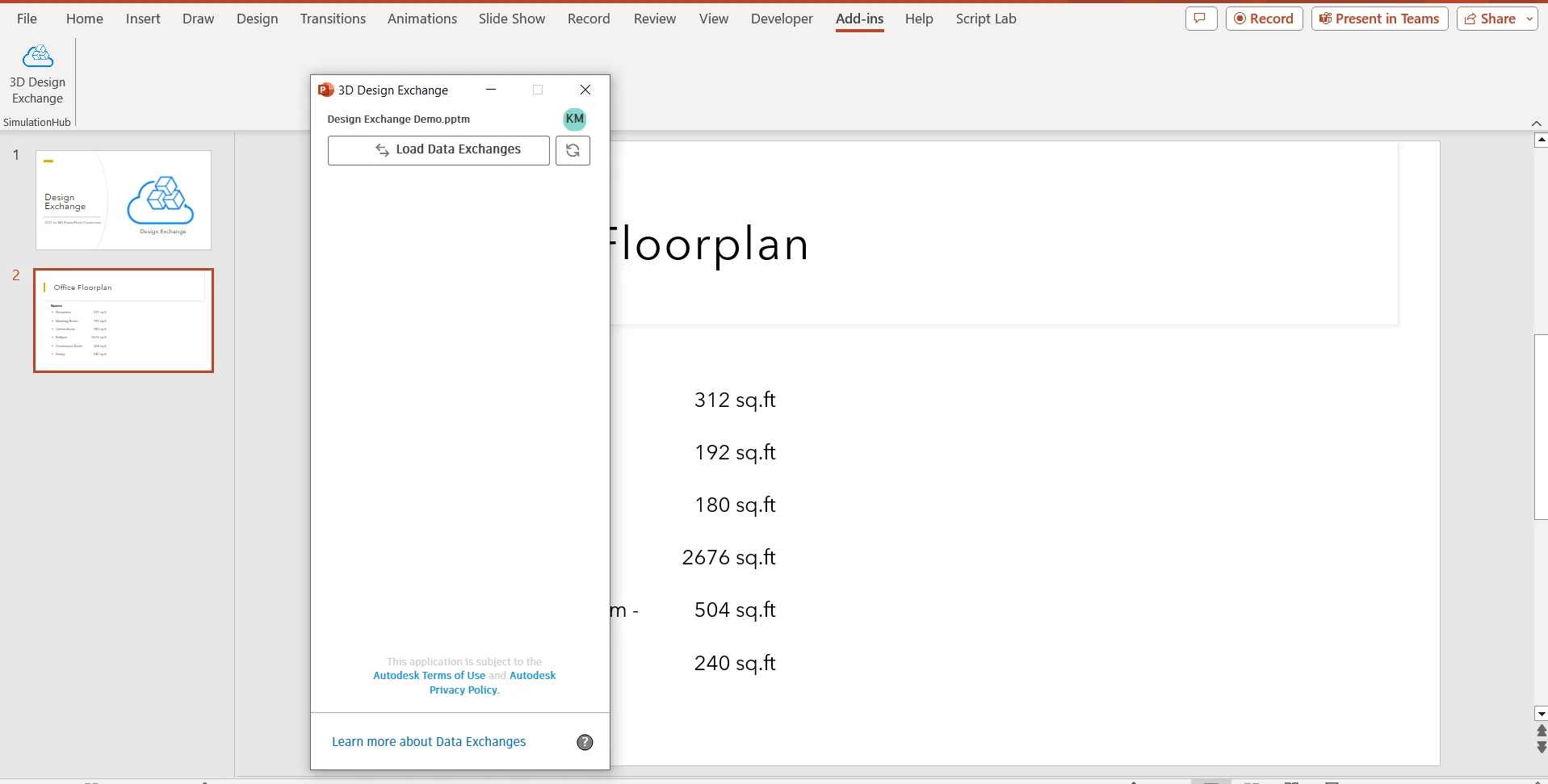
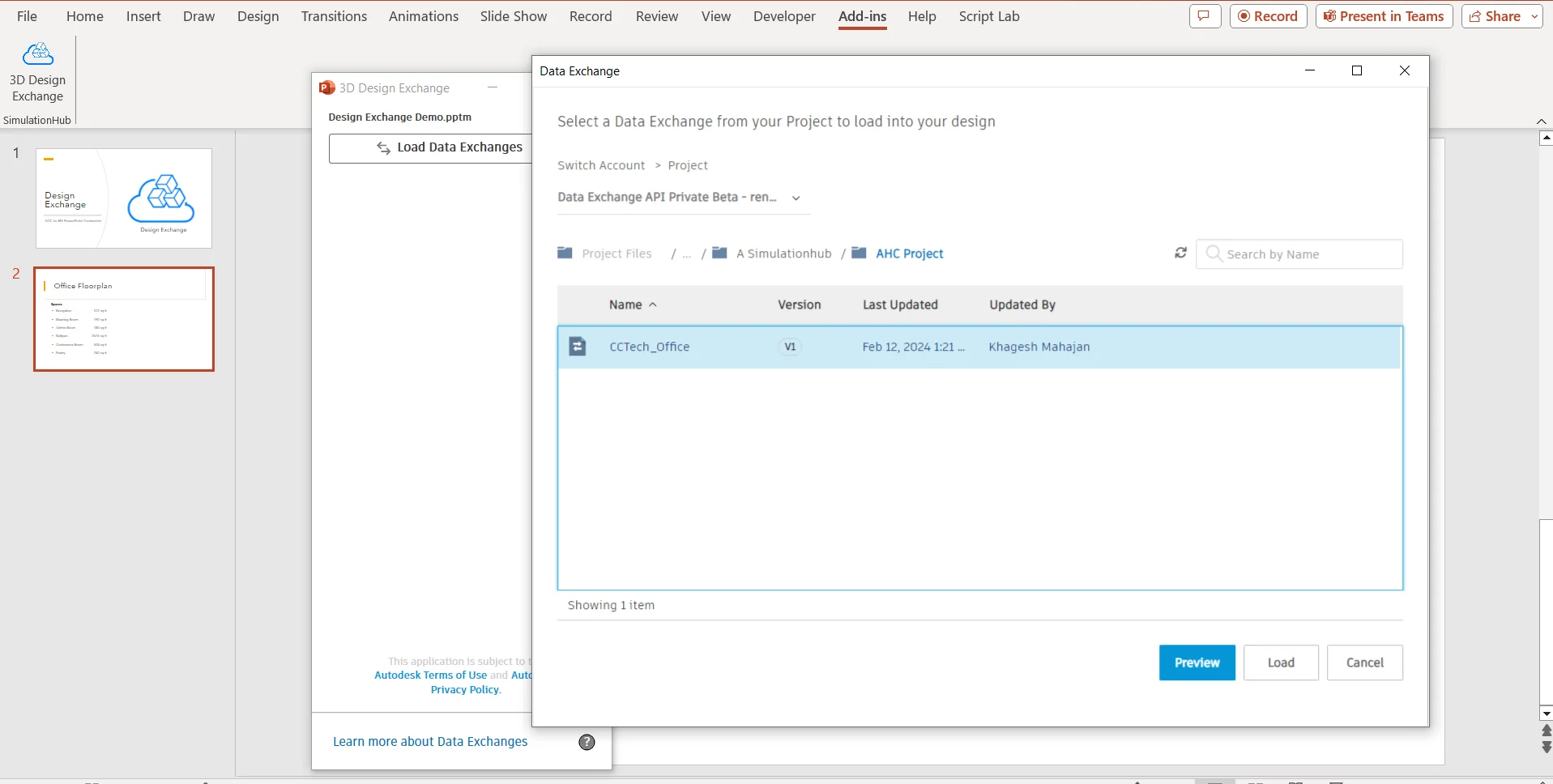
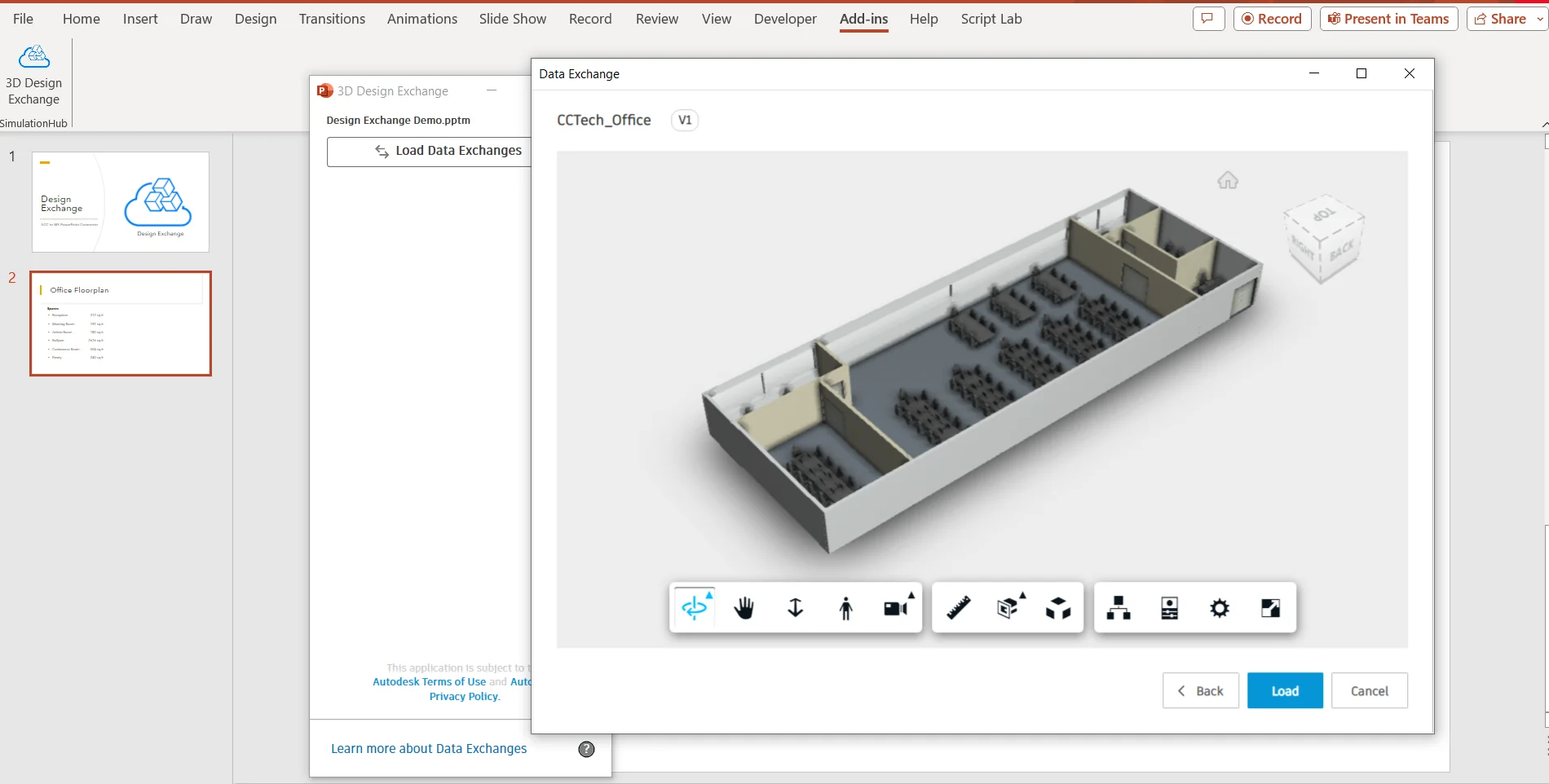
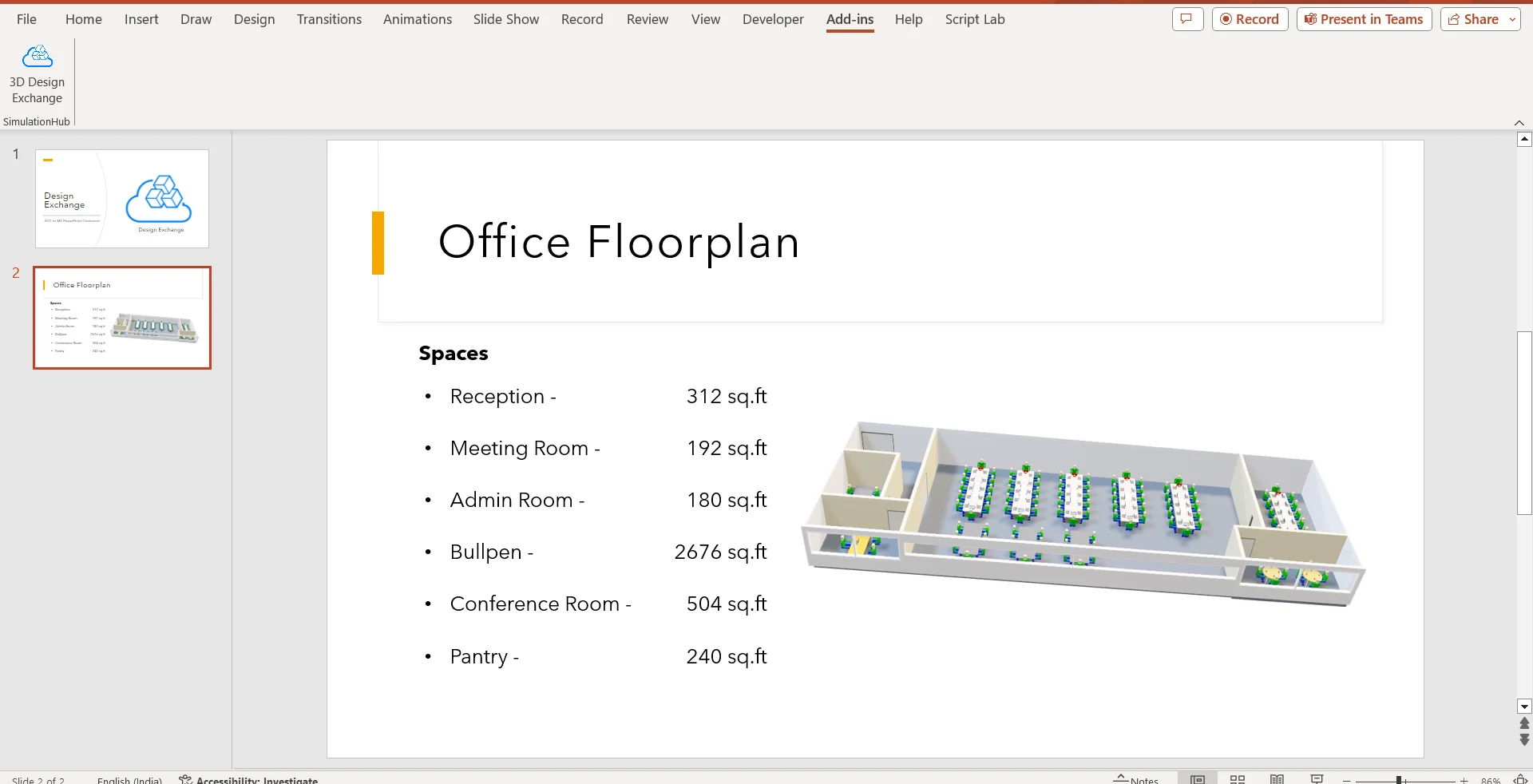
Before you start
- An Autodesk Forma (formerly Autodesk Construction Cloud) licence, and access to at least one project
- View + Download permission (or higher) on the folder that holds the data exchange
- Your account administrator adds the free 3D Design Exchange Connector app to the account (Account Administration, Apps tab)
- Microsoft PowerPoint on Windows, with the 3D Design Exchange app installed (you may need to restart PowerPoint afterwards)
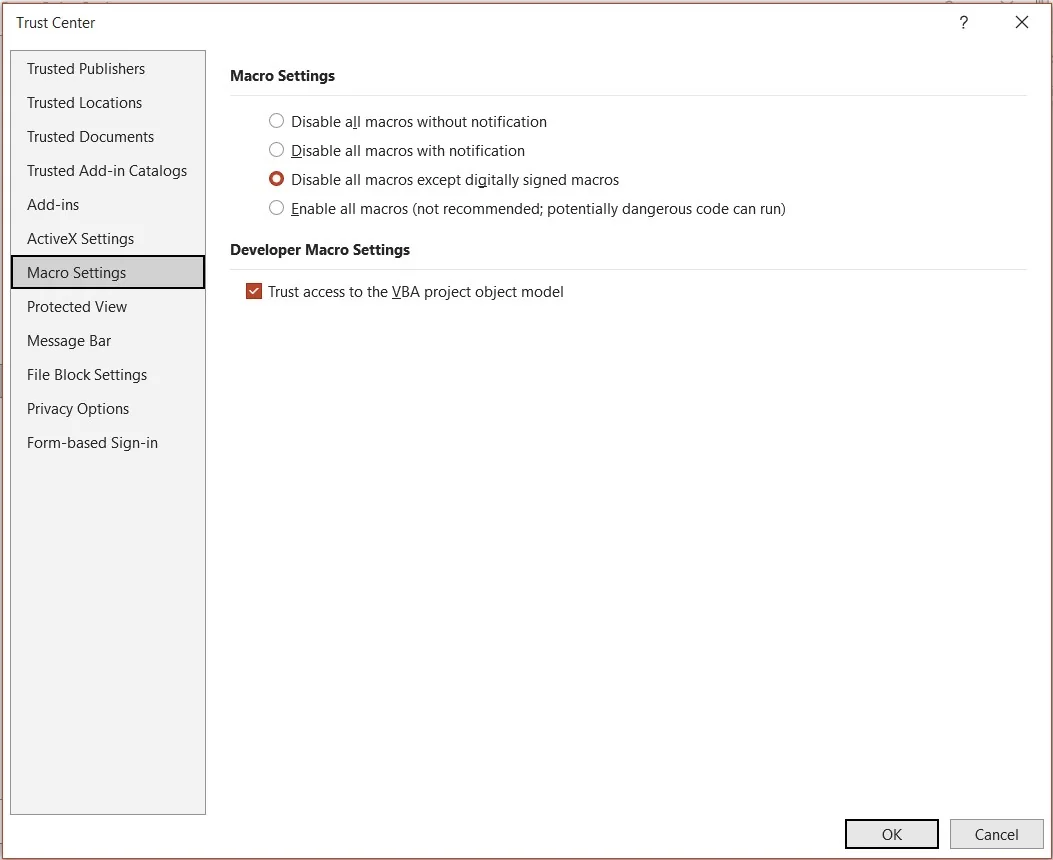
- Macros enabled in PowerPoint: File, Options, Trust Center, Trust Center Settings, Macro Settings, then allow macros and tick Trust access to the VBA project object model
Main Features
Presents 3D designs from over 150 file formats, from Revit, Civil 3D, Navisworks, Tekla, Rhino, Inventor, Fusion 360, SolidWorks and more.
Pan, zoom and rotate models during the presentation, in real time, directly within PowerPoint.
Share the design data each discussion needs with teams and stakeholders, without sending whole model files.
Add design concepts to your slides with minimal setup, from inside PowerPoint.
Secure sign-in (three-legged authentication) gives read access to models and exchanges in your Autodesk Forma (formerly Autodesk Construction Cloud) account.
Project geometry comes straight from Autodesk, so the model in your slides matches the project data, with no manual transfers.
Why it is Important for your Business
Technical and non-technical stakeholders review the same 3D design, in a tool they already use.
Simpler design sharing saves time and keeps project discussions moving.
Stakeholders see the model in PowerPoint instead of installing design applications.
Clearer communication of design intent supports better, faster decisions on the project.
Get it on the Autodesk App Store
The connector comes as two apps from CCTech on the Autodesk App Store.
The PowerPoint add-in: add 3D design exchanges from Revit, Inventor and 150+ more software to your slides. Requires Microsoft PowerPoint on Windows. Free trial available.
View on the Autodesk App StoreFree. Gives read access to project information such as 3D geometry in your Autodesk Forma (formerly Autodesk Construction Cloud) account, so you can view those files in PowerPoint.
View on the Autodesk App StoreBuilt On CCTech’s Engineering Intelligence
As an Autodesk Platform Services Systems Integration Partner with more than 20 years of experience, CCTech develops connectors and platforms designed to address the challenges of interoperability in manufacturing, AECO and infrastructure environments. The 3D Design Exchange is our collaboration with Autodesk Platform Services to make design data easy to present.
For step-by-step setup, see the user guide. Need help? Contact simulationHub support.
Bring your designs into every presentation.