

IFC Exporter for AutoCAD Plant 3D
Intelligent plant models, straight to IFC
Export Plant 3D models directly to IFC2X3 files, with geometry, Plant 3D object classes and property data, for downstream BIM tools.
Share plant models with every BIM tool
CCTech’s IFC Exporter for AutoCAD Plant 3D exports intelligent plant models from Plant 3D drawings directly to IFC2X3 (.ifc) files. You share geometry, Plant 3D object classes and property data with downstream BIM tools, without the manual EXPORTTOAUTOCAD workflow that turns plant objects into generic solids.
IFC (Industry Foundation Classes) is an open, vendor-neutral exchange format for built assets. The exported files are suitable for coordination workflows, for example opening in Navisworks, Autodesk Docs or Revit.
Pipes, fittings, equipment, structure and related objects.
For example flow segments, fittings and controllers, mapped from Plant 3D.
From the Plant 3D project database: tags, specs and line data where supported.
In the drawing coordinate system, with units recorded in the file.
From your Plant 3D drawing to an IFC file
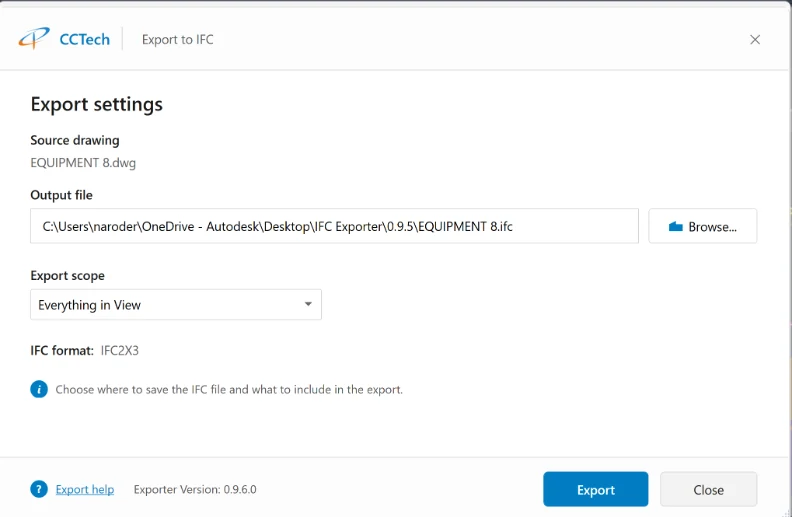
Three steps inside AutoCAD Plant 3D. The screenshots are from the exporter.
Export exactly what you need
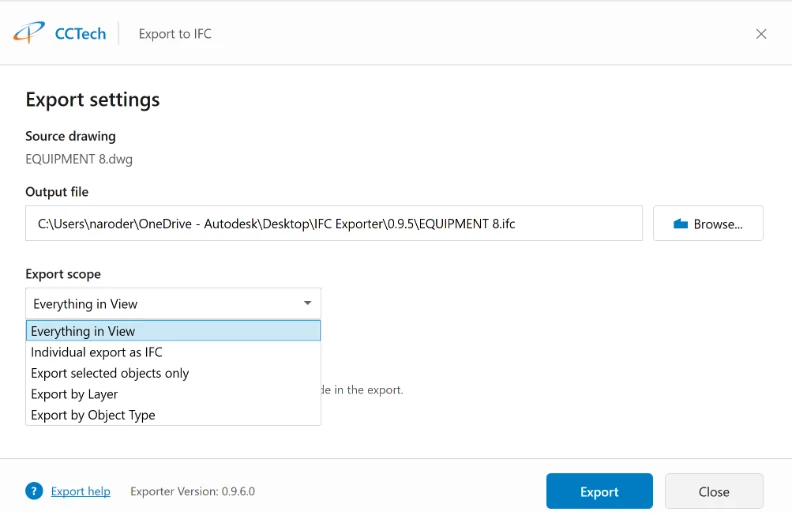
The export scope controls what is written to the IFC file.
All exportable Plant 3D (and supported solid) content in the current drawing. The default for full-model exports.
Only the Plant 3D objects you pick in the drawing.
Objects on one or more layers, combined into one IFC file.
Only chosen Plant 3D part kinds, for example pipe, heat exchanger or grating.
Individual export as IFC: one IFC file per object, for object-level delivery or debugging.
Every export writes a log next to the IFC file: units, scope, skipped objects, timing and counts.
Supported content
The exporter targets Plant 3D objects and related 3D content.
Pipe segments, fittings, inline assets, connectors (flanges, valves and similar).
Vessels, pumps, heat exchangers and other catalog equipment.
Members, gratings, railings, ladders, plates and related structural items.
3D solids and block references that contain Plant 3D content or solids.
Why it is Important for your Business
Coordinate plant models with architectural and structural models, and run clash detection.
Deliver plant models in an open, vendor-neutral format.
Review plant designs in IFC viewers, without Plant 3D.
Hand models over to owners and operators with their classes and properties.
System requirements
- Windows 10 or 11 (64-bit)
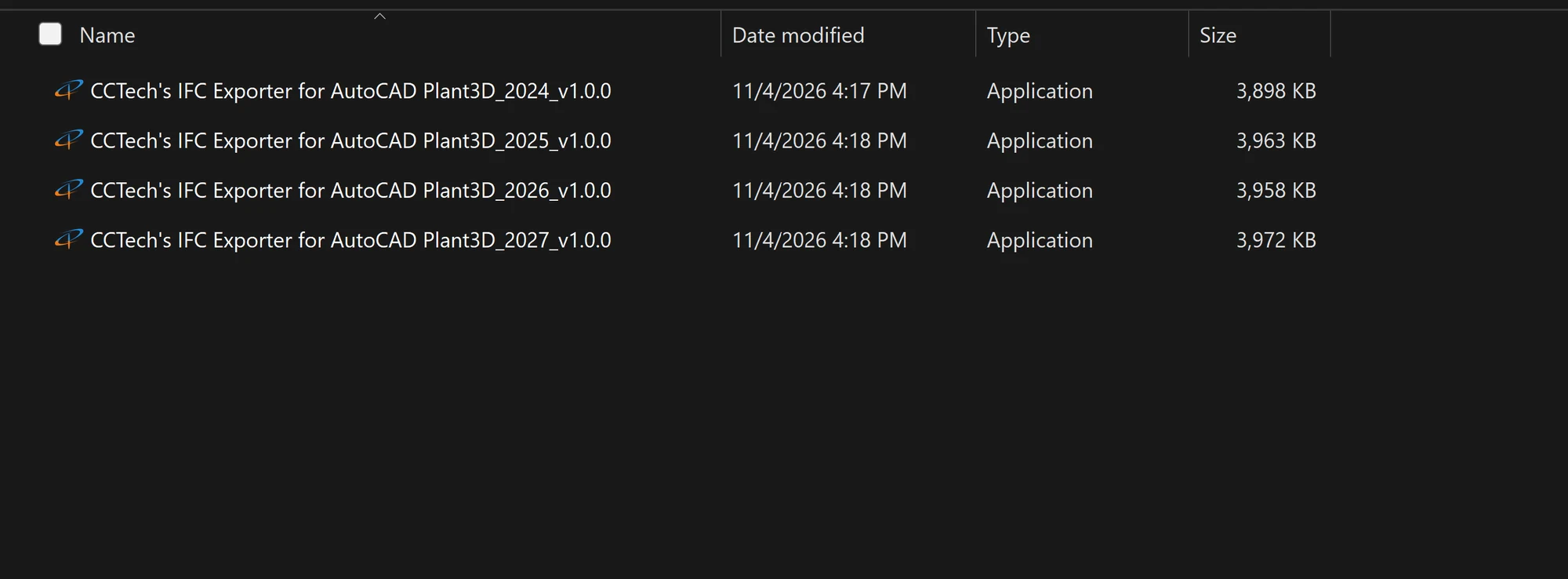
- AutoCAD Plant 3D 2024, 2025, 2026 or 2027, with the exporter that matches your release (each release has its own installer)
- The matching runtime: .NET Framework 4.8 (2024), .NET 8 (2025 and 2026) or .NET 10 (2027)
- Plant models as normal Plant 3D drawings (.dwg), with valid project data where properties are required
Built On CCTech’s Engineering Intelligence
As an Autodesk Platform Services Systems Integration Partner with more than 20 years of experience, CCTech develops connectors and platforms designed to address the challenges of interoperability in manufacturing, AECO and infrastructure environments. The IFC Exporter brings plant models from AutoCAD Plant 3D into the open IFC ecosystem.
For installation and every export option, see the user guide. Need help? Email support.dataexchange@cctech.co.in.
Bring your plant models into every BIM workflow.