





Thursday, September 10, 2026
Creo Data Exchange Connector | CCTech
By
Pratik Patil
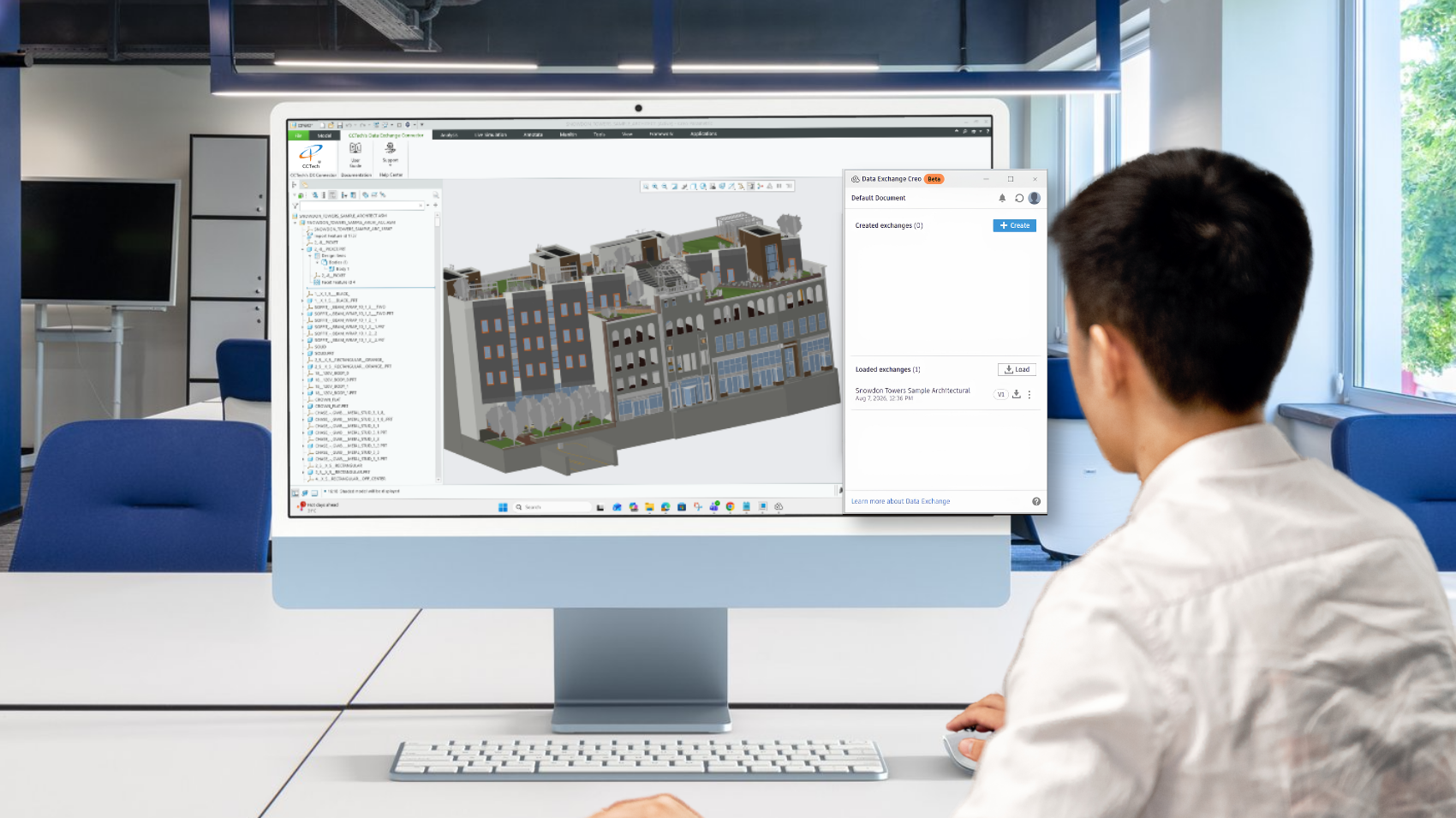
Introducing the Creo Data Exchange Connector
Handoff Occurs Where the Friction Begins
CAD designers and manufacturing engineers use Creo to develop detailed product designs, assemblies, and manufacturing-ready models. But those designs don't stay within Creo. As the projects move downstream, data flows into BIM, construction, and project workflows where teams work on different platforms.
When the Creo designer makes changes to the assembly, the BIM team needs updates in real time. Another team working in Autodesk tools requires the latest geometry. Some other members export the model, convert it into a compatible format, upload it, and send the link forward.
Then comes the inevitable question:
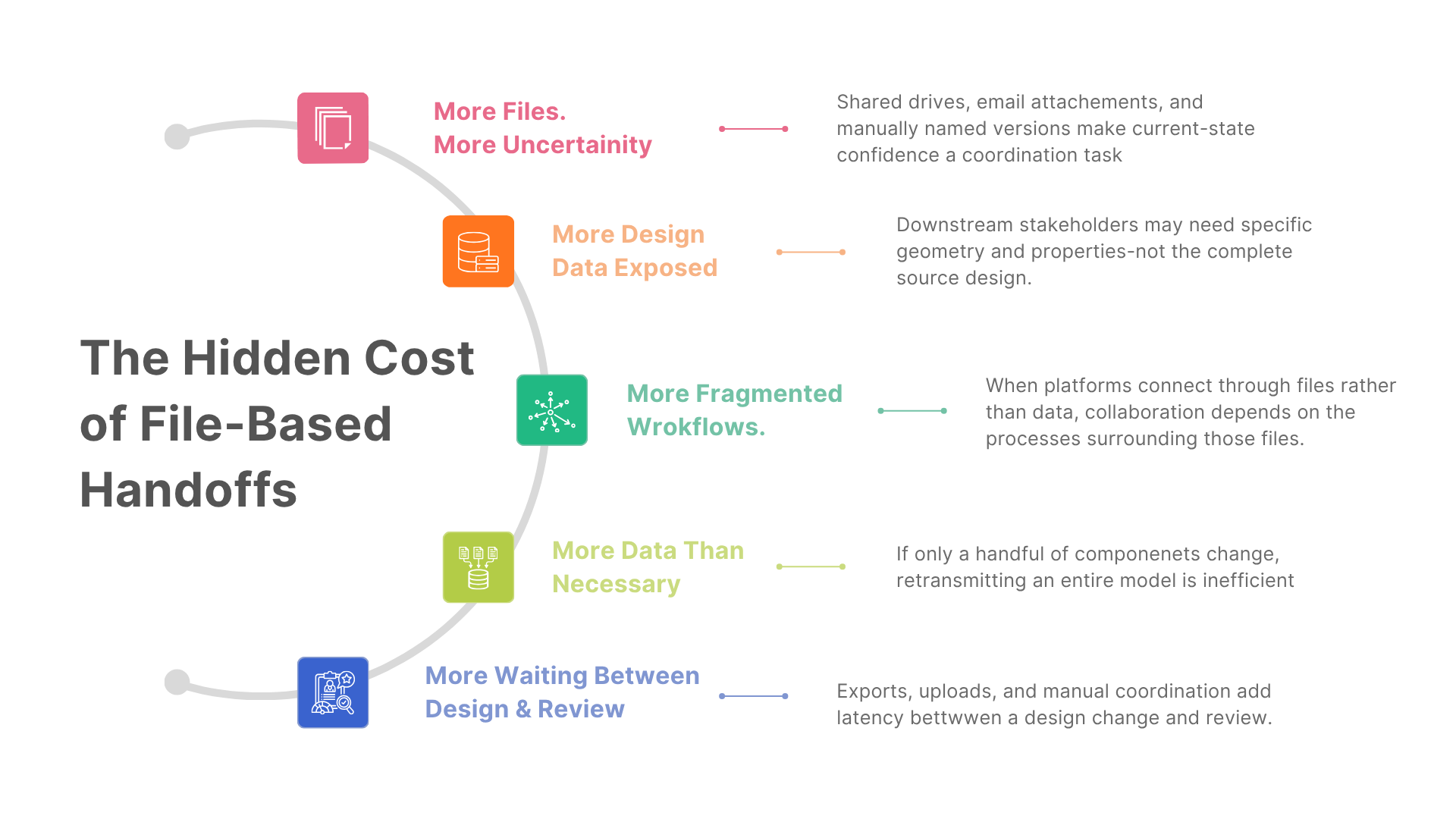
The standard way of operation in today's engineering and AEC organizations is working across multiple platforms. Design data is regularly transferred between CAD, BIM, and construction systems. However, the method used for this transfer has not changed much over the past ten years. Yet, data moves often remain surprisingly file centric. Teams still depend on manual exports, conversions to neutral formats, and the use of email or shared drives to move files.
Every handoff leads to continuous loss of productivity, introduces delay, duplication, version confusion, or unnecessary exposure of design data, impacting security.
Consider another scenario where cross-platform workflow involves Creo and the Autodesk ecosystem.
A design team may need to share specific information about components with Revit modelers, BIM coordinators, or teams working in Forma. Instead, the downstream team receives the entire source model or every component within it, unnecessarily.
A minor design change can initiate a disproportionately extensive coordination process. As project size increases, this cycle occurs with greater frequency.
A Smarter Way to Connect Data Across Platforms
The Data Exchange Connector changes the equation and solves the core tension among cross-platform teams.
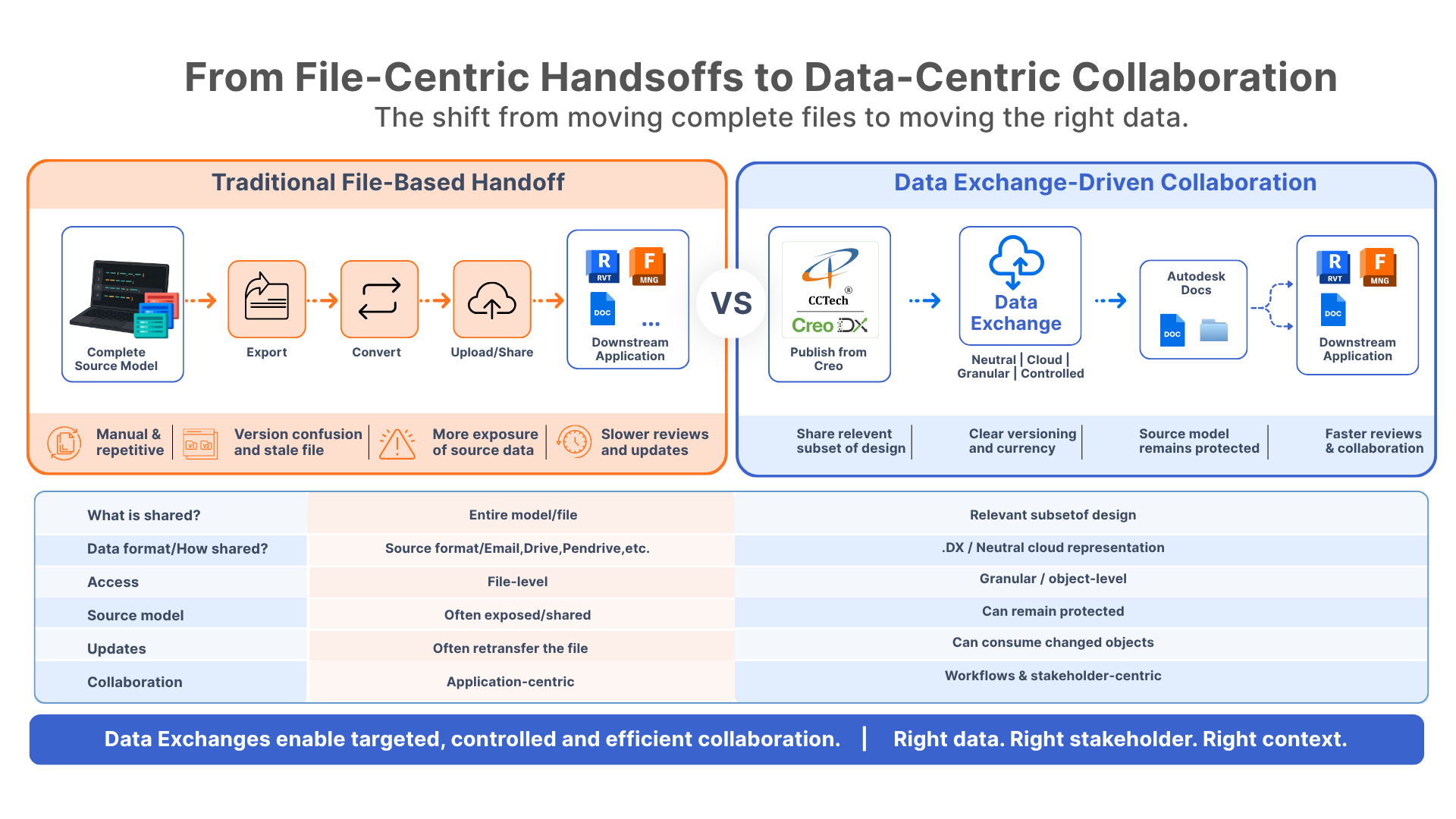
Instead of exporting an entire source model, teams can share a controlled subset of the data required for a specific workflow. The exchange provides a granular representation of the relevant design data, rather than showing a complete source model.
It is also cloud accessible, so the shared data can move across connected workflows. And because it is represented in a neutral format, downstream applications can consume the exchange without requiring the source Creo file or forcing teams through conventional format-conversion workflows.
This is the principle behind CCTech's Creo Data Exchange Connector. It is based on Autodesk's Data Exchange framework and allows engineering teams to publish, update, and consume design data all within the Creo environment. This allows us to get rid of the need for manual export and import operations and setting up a controlled, versioned, cloud-based method of sharing data between different platforms.
The Collaboration Shift Starts with the Creo Data Exchange Connector
Data Exchange improves collaboration by letting teams share only the data a workflow needs, rather than sending whole files. It helps teams in connecting different applications, control access, and keep design information limited to what's necessary. This approach makes collaboration more connected and intentional, allowing data to move between stakeholders without having to send the entire source design.

What sets our Creo Data Exchange Connector apart from conventional reference workflows is its shift from a file-based to a data-based approach to collaboration. Its core capabilities solve the challenges which occurred with the traditional approach:
- Share Only What the Workflow Needs - With configurable and controlled publishing, you can create a Data Exchange with a defined name, description, destination folder, Up-Axis orientation, and export scope. This allows publishing the entire model or only selected components.
- Keep Design Data Up to Date - As the source design evolves, users can update the existing Data Exchange to make the latest design data available to downstream teams. This helps maintain a connected and version-aware workflow without relying on manual file-based handoffs.
- Control Geometry Fidelity during Exchange Creation and Loading - With flexible geometry options, users can publish Data Exchanges as BREP for high-fidelity, or as Facets for faster, lightweight results. During loading, Facets can be imported quickly, with options to preserve colors and component hierarchy, allowing teams to match geometry fidelity to the requirements of each workflow.
- Load Data Where the Workflow Needs It - With flexible, workflow-aligned loading, users can import a Data Exchange into Creo at the assembly origin or at specific coordinates, aligning placement with the structure of the downstream workflow.
- Know When the Data Has Changed - The connector provides version awareness through a visual indicator that shows when a newer version of a loaded Data Exchange is available. It gives teams the ability to consume updates deliberately rather than by chance.
- Keep the Necessary Files at the Center - With non-destructive session management, users can unload a Data Exchange from the local Creo session at any time without affecting the underlying data, keeping local workspaces clean while preserving the source exchange.
How Creo Data Exchange Connector Works
The connector integrates directly into the Creo interface, built on Autodesk's Data Exchange SDK, so no external tools or format conversions sit between the designer and the exchange. A typical publish-and-consume cycle looks like this:
This loop is what separates a Data Exchange from a conventional file reference. Version control, change tracking, and access scope are handled natively, rather than bolted through file-naming conventions and manual coordination.
Why This Matters Beyond Creo Users
Although the connector is designed for Creo, it benefits all downstream stakeholders who rely on Creo-originated data, including Revit modelers, BIM coordinators, and project teams in Forma. They do not need to learn a new tool. They receive geometry inputs that are appropriately scoped, clearly versioned, and free from the ambiguity of file-based handoffs. With fewer outdated files in circulation, teams spend less time reconciling versions and translating exports between platforms.
The Creo Data Exchange Connector (beta v1.1.0) will soon be available on the Autodesk Marketplace.
For engineering and AECO teams operating across the Autodesk ecosystem, it represents a decisive shift away from file-centric friction toward a data-centric model of collaboration. It is built on a simple principle:
The right data, with the right stakeholder, in the right context.
Learn more about the Creo Data Exchange Connector
The right data, with the right stakeholder, in the right context.
Learn more about the Creo Data Exchange Connector
About author
Pratik Patil
Pratik Patil is the Business Unit Head for Consulting at CCTech, where he helps customers turn technology into practical solutions across AEC and Manufacturing. With a strong background in software development and product engineering, Pratik has deep expertise in the Autodesk ecosystem, its products, platforms, and services, covering APS, design Automation, Integration, and Customization. Over the years, he has collaborated closely with Autodesk teams to deliver solutions that improve workflows, boost efficiency, and scale innovation. His approach is hands-on and grounded in customer challenges, making advanced technology accessible and impactful.
Comments