





What CAD Engineers Struggle with Today
Today, CAD engineers spend a lot of time repeating basic drawing and detailing tasks again, attempting to recall standards, company rules, and design constraints, followed by troubleshooting modelling and drawing errors in the middle of their workflow. They're frequently switching between CAD tools, manuals, PDFs, and guidance from senior engineers, only to end up fixing issues much later during design reviews. CAD Copilot tackles these everyday challenges in real time, directly within the CAD as a design AI assistant environment—so that teams can operate faster, smarter, and with fewer errors.
What CAD Copilot Does
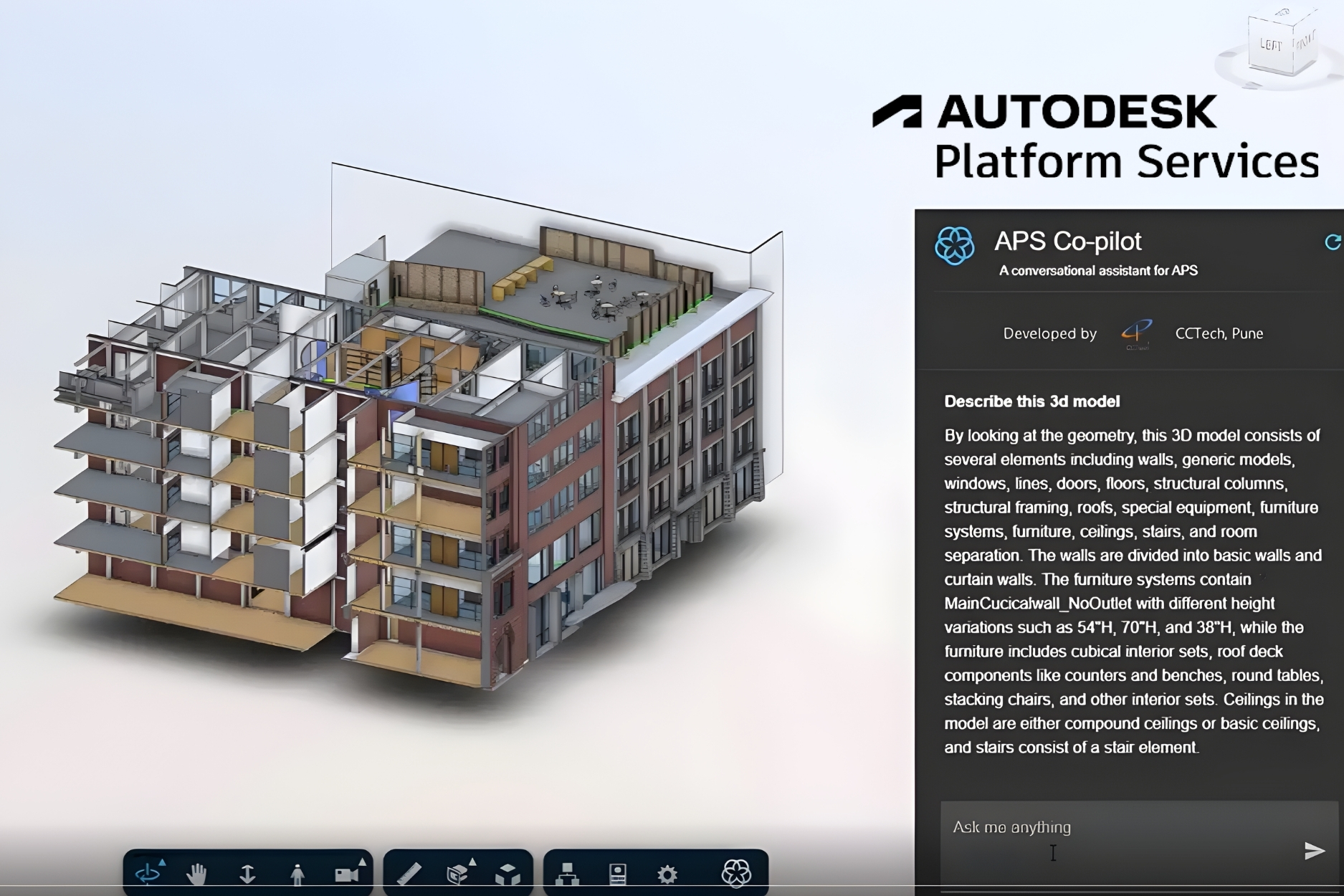

Embedded AI Assistant Inside CAD
CAD Copilot runs as a plugin inside CAD software as AI assistant. Teams can interact with it while modelling or drafting using prompts, commands, or guided actions.
- Context-aware assistance based on the active model or drawing
- Understands geometry, parameters, features, and metadata
- Works well with existing CAD commands and workflows

Automatic Basic Drawing & Draft Creation
The Copilot can automatically generate basic drawings from layouts using design automation.
- Create standard views, sections, and dimensions
- Apply company-specific drawing templates and annotation styles
- Generate initial GA drawings and detail layout views

Real-Time Guidance
- Creates and standardizes Revit families, templates, and BIM libraries
- Sets parameter standards, naming conventions, metadata mapping
- Enables migration of existing libraries and consolidation into publish-ready catalogues
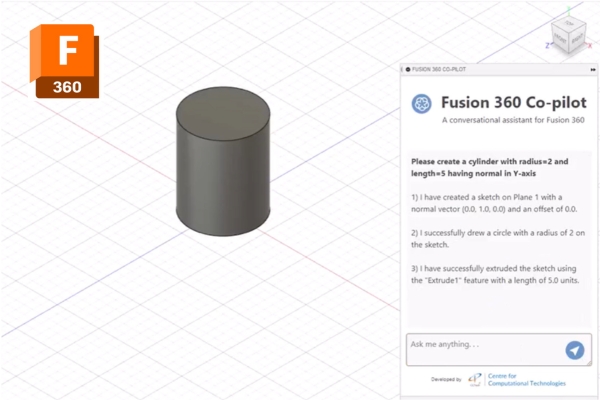

Rule-based Governance
The Copilot follows the pre-defined international standards and gets trained from past project learnings.
- Follows company-specific CAD and industry standards
- Warn users when designs deviate from standards
- Past project learnings and best practices

Design Troubleshooting & Error Prevention
CAD Copilot catches the issues and errors during the design creation.
- Identify common modelling mistakes early
- Flag missing or inconsistent parameters
- Highlight drawing issues before release

Knowledge Capture & Continuous Learning
CAD Copilot keeps on learning from past project patterns and becomes organization specific.
- Captures expert decisions and design logic
- Learns from resolved issues and corrections
- Builds an internal engineering knowledge base
Outcome
-
Faster Drawing Production:
It auto-generates compliant drawings in minutes using design automation, without changing tools or workflows and avoiding repetitions. -
Reduced Dependence:
It allows engineers to reduce repeatedly occurring tasks, layering errors, or dimension inconsistencies. This helps them focus on technical decisions with support from the AI assistant. -
Lower Rework and Fewer Review Cycles:
Flags the common errors, improper layering, and non-standard annotations before submission, thereby reducing rework and review cycles. -
Improved Standardization Across Teams:
CAD outputs follow the same rule set, ensuring consistency across packages, phases, and teams. -
Measurable Productivity Gains:
Teams productivity and performance increases, without retraining staff or introducing parallel systems.
Why CCTech CAD Copilot?
-
Built by Engineers, for Engineers:
Designed around real CAD production challenges. It understands how drawings are produced in live projects. -
Native CAD Environment Integration:
Works directly within CAD platforms using native APIs. There is no need to export data, switch platforms, or interrupt workflows. -
Rule-Based and Explainable:
Outputs are governed by configurable engineering rules, and every recommendation is traceable. -
Enterprise-Ready Architecture:
Supports small design teams as well as multi-discipline, multi-location enterprise deployments. -
Designed for Production Workloads:
Handles real project pressures, tight submission timelines, high drawing volumes, revision cycles, and coordination rounds.
Where Our CAD Copilot Fits Best
CAD Copilot is best suited to manufacturing and product design groups. It is compatible with organizations that work with stringent design criteria and require homogeneity across projects. Team working with very high-volume drawing, detailing, and configuration workflows are mostly benefited. In addition, it also supports teams by providing real-time guidance.
Supported CAD Ecosystem
CAD Copilot is designed to run in a wide variety of CAD environments for diverse engineering needs. It’s compatible with AutoCAD, Autodesk Inventor, and Fusion. Finally, it can be integrated with other CAD systems via APIs and plugins, making it suitable for enterprise-level toolchains. As a CAD-agnostic platform, this allows for rapid growth without vendor lock-in